How to compare furniture from different shops in one room
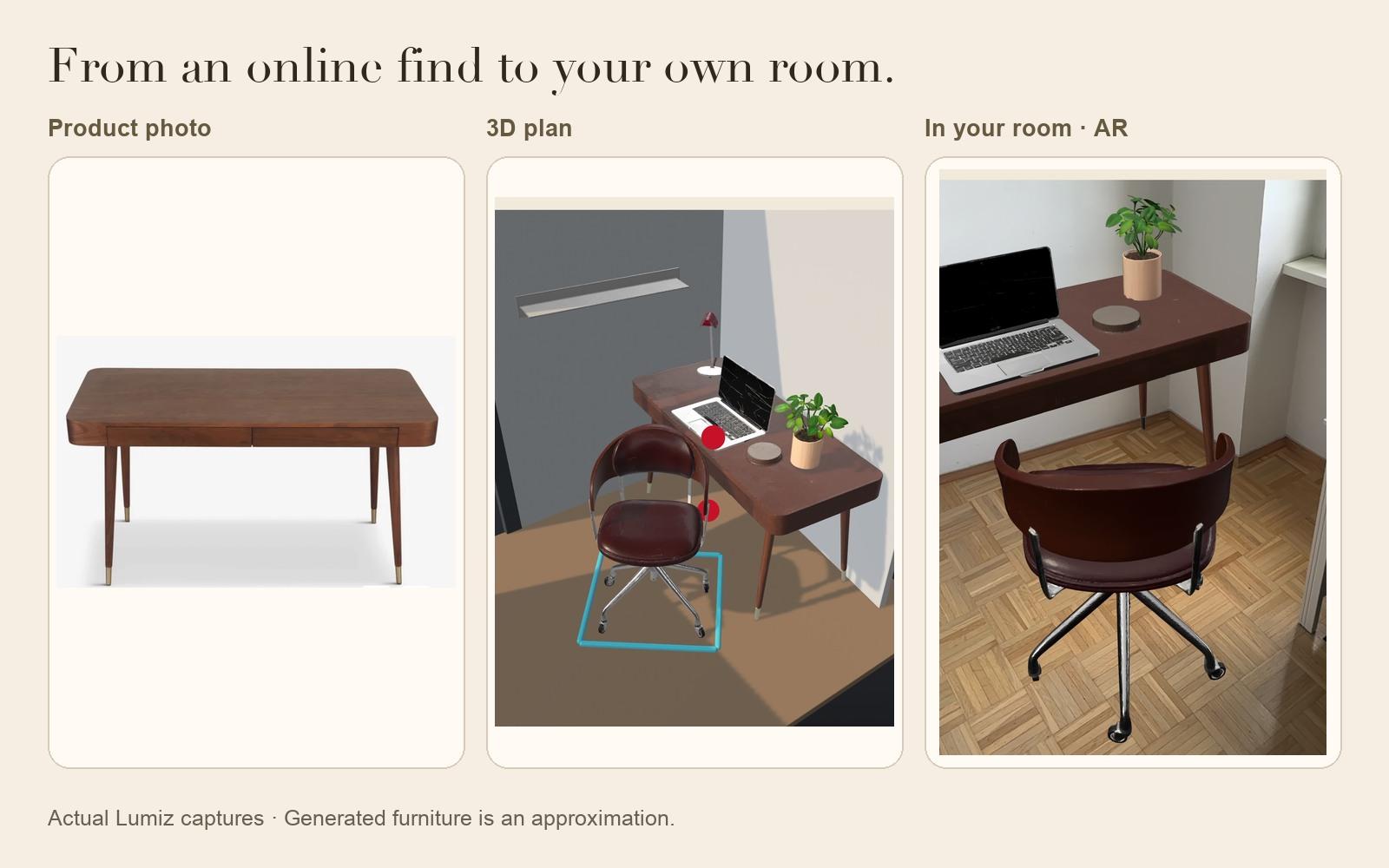
You find a chair in one shop, a side table in another and a lamp somewhere else. Each looks convincing on its own product page. The harder question is whether they work together in your room.
Use one room as the common reference. Compare the pieces at their stated dimensions, in the position where you would use them, before deciding which combination deserves your money.
Make a shortlist around one decision
Start with a specific question: which chair suits the reading corner, or which desk leaves enough space beside the bed? Comparing three candidates for one job is easier than redesigning the entire home at once.
Save each exact product link and record the variant, assembled width, depth and height, current price and any delivery cost. Note the features you care about, such as a removable cover, shelf height or storage. Check these against the retailer before buying; a room preview cannot tell you how comfortable a seat is or how a drawer feels.
Bring each candidate into the same plan
In Lumiz, use the in-app Websites flow or share a product link from Safari and open Lumiz to continue. Select a clear product image and check the retrieved information against the product page. Confirm dimensions for the exact variant, especially if the page contains several sizes.
Use a supported retailer 3D model when one is available, or generate a 3D approximation from the image. Availability and retrieval vary between websites. If a detail is missing or wrong, correct it before using the model in your comparison.
Different retailers do not need matching photography or the same catalogue format for you to consider their pieces in one plan. What matters is that you inspect each result and use reliable dimensions. See our guide to previewing furniture in your room for the step-by-step starting point.
Keep the comparison fair
Place each candidate in the same spot, with the same orientation and the furniture you are keeping around it. Use a consistent viewing angle. Otherwise, a closer camera or a changed arrangement can make one option seem larger or more convincing for the wrong reason.
If you have Lumiz Plus, use room versions A, B and C to keep alternative arrangements in the same room. You can also save images of your options from a consistent viewpoint and compare them side by side.
Look at scale first, styling second
Check whether the candidate blocks the route, crowds another piece or prevents storage from opening. A compact chair with a wide base may use more floor than you expect. A small table may still be too far from the seat to be useful.
Then consider the combination: does the table height make sense beside the chair, does the lamp reach the intended area, and do the shapes feel balanced? View the layout in 3D, then align your own captured or measured room to inspect it in AR from the doorway and your usual seat.
Use the preview to judge arrangement and approximate visual balance. Generated geometry, colours and materials can differ from the real product, and your screen does not reproduce every finish accurately. Confirm fabric, colour and quality through samples or the retailer when they matter.
Finish with a small decision list
- Fit: confirmed dimensions and space to move around the piece.
- Use: comfortable access, reachable surfaces and suitable storage.
- Look: a combination you prefer beside the things you are keeping.
- Purchase: checked variant, total cost, delivery and return terms.
You do not need to buy everything from one shop, and you do not need to commit to a whole new room. Test the piece that is hardest to judge first.
Compare your furniture ideas in Lumiz for iPhone. Start with the real room and the candidates you have already saved.