Small living room: how to compare layouts before buying more furniture
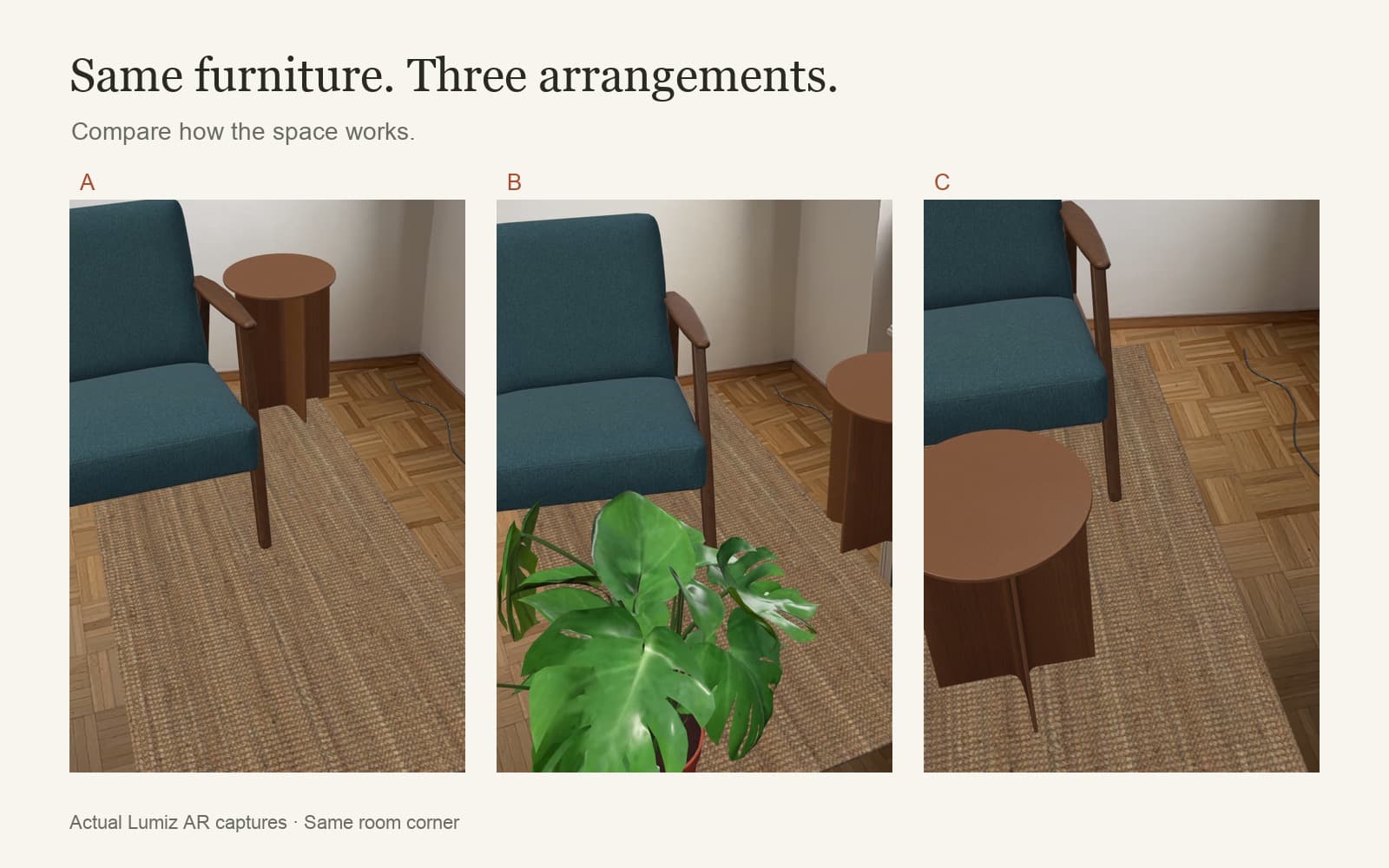
When a small living room feels wrong, another piece of furniture is not always the first thing to try. The table may be in the route, the chair may face the wrong way, or several useful objects may be competing for the same patch of floor.
Compare a few arrangements of the furniture you already have. Give each layout a job and test it against an ordinary day, rather than choosing only from a flattering picture.
Decide what the room needs to do
Write down the two or three activities that matter most: watching a film, reading near the window, talking with a visitor or moving between the entrance and another room. Note what currently gets in the way.
For example, “the side table blocks the route to the window” is a useful problem to solve. “The room needs to look better” is much harder to test. Keep fixed features such as doors, radiators, outlets and built-in storage in mind throughout the comparison.
Layout A: keep the route clear
Start by tracing the path you take most often. Position the largest furniture so that you can use that path comfortably, then place smaller pieces around it. Check more than the room entrance: include the window you open, the cupboard you use and the chair you pull out.
In a reading corner, moving the side table from the front of the chair to one side may free the approach. But it can also make the table harder to reach. Sit or stand in the actual spot and test both needs before calling the layout better.
Layout B: make the main activity easier
Keep the same furniture and orient it around the room’s main activity. Turn the chair towards the other seating for conversation, or towards the screen for a movie. Move the table and lamp to support that position rather than leaving them where they happened to start.
Check the view from the seat, not only from above. Look for awkward reaching, a screen at an uncomfortable angle, glare or a lamp base where your feet go. Some of these details need a physical check; the plan helps you identify where to look.
Layout C: simplify the busiest area
Try moving one secondary piece out of the busiest area. That might mean putting a plant elsewhere or shifting a table to the edge. You are testing whether the room feels easier to use with less around the seating.
Keep track of the tradeoff. If removing the side table leaves nowhere to put a drink, the layout may look spacious but work worse. The useful option is the one that supports your routine with the space you have.
Compare them in the same room
Create or open your own captured or manually measured room in Lumiz. Use furniture models at dimensions checked against your real pieces. If a model is an approximation, focus on the footprint and arrangement and confirm important gaps physically.
With Lumiz Plus, versions A, B and C keep different furniture arrangements in the same room for comparison in 3D and AR. Without versions, you can still try an arrangement and save an image before changing it.
Use consistent views: one from the doorway, one from the main seat and, where useful, one from above in the editor. Complete AR alignment for your own captured or measured room. Do not judge one layout from a wide view and another from a close-up.
Use three questions to choose
- Can I move? Walk the normal routes and check doors, drawers and seating access.
- Can I use it? Test reaching the table, using storage and doing the main activity.
- Do I prefer it? Compare the same viewpoints after the practical checks.
If every arrangement has the same problem, you now have a clearer reason to replace something. Perhaps the table is too deep or the sofa dominates the route. Measure that constraint before shopping, rather than starting with another attractive product photo.
Try your next arrangement in Lumiz for iPhone. Begin with what you have and one specific thing you want to improve.