2D-First Product Discovery: The Minimum Catalog You Need to Launch
Published 3/18/2026
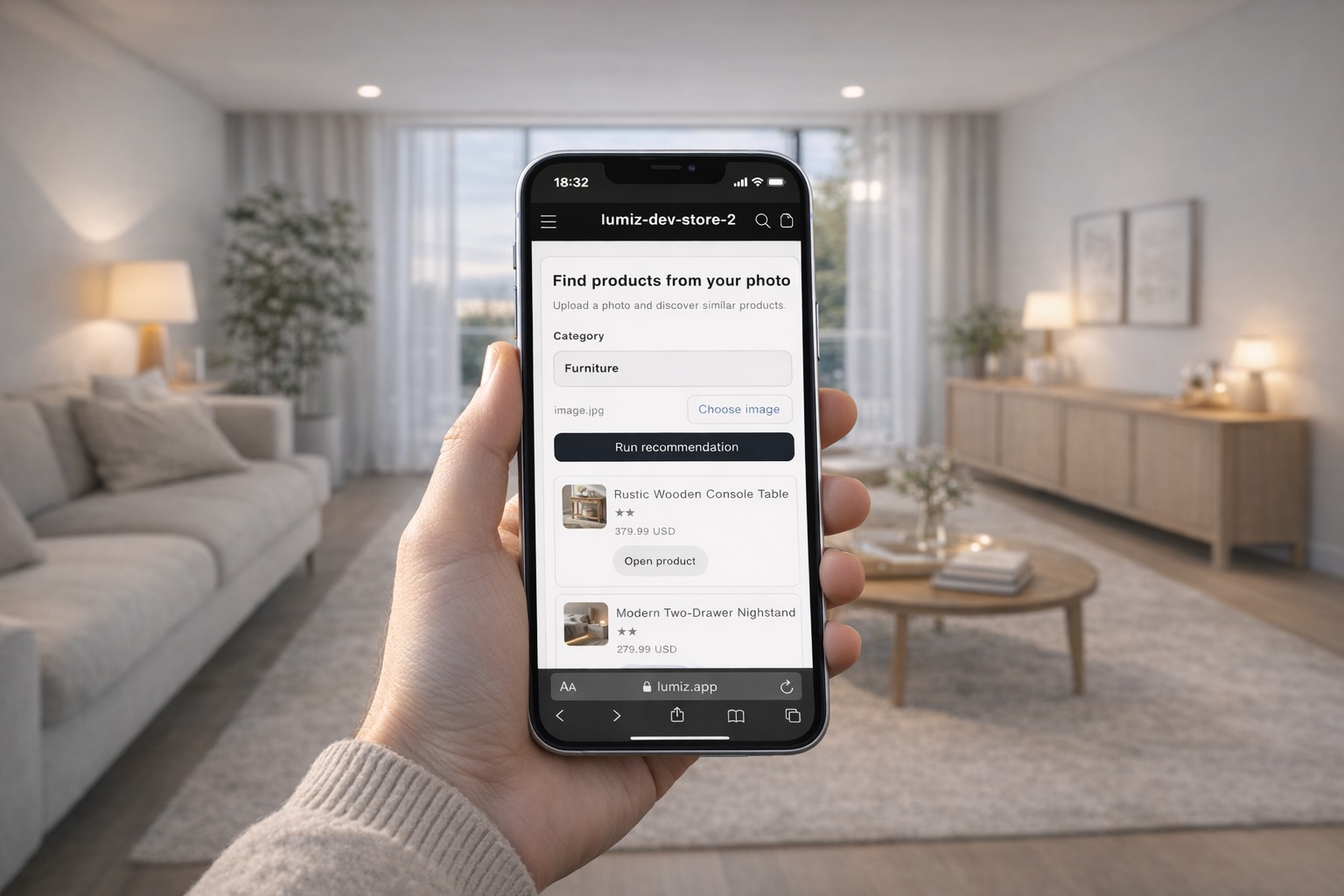
Most smaller merchants do not need a perfect catalog to get started
They need a usable one. That matters because many teams delay discovery improvements while waiting for cleaner data, more complete tagging, or full 3D coverage that may not be realistic in the near term.
If your main problem is that shoppers cannot find the right product quickly enough, the best first move is not a giant content project. It is building the minimum catalog structure that lets you guide shoppers toward the right shortlist.
What 2D-first means in practice
2D-first product discovery means starting from the assets most merchants already have: product images, product titles, categories, URLs, and some basic catalog structure. Instead of waiting until every product has a richer model or every attribute is perfect, you launch a simpler discovery flow that still improves product finding.
This is especially useful for merchants with lean teams, no dedicated developer, and a catalog that is already large enough to create choice overload.
The minimum catalog inputs you should have
1. Clear primary product images
If the product image does not clearly represent the product, visual discovery becomes harder immediately. The image does not have to be perfect, but it should be clean, representative, and consistent enough to support matching.
2. Reliable product titles and URLs
Shoppers still need to land on product pages that make sense. Recommendation quality loses value if the click-through path is weak or inconsistent.
3. Category structure that reflects how people shop
At minimum, your products should be grouped into categories that a shopper can understand quickly. For visual-fit categories, this matters because the shopper usually wants help within a known product type such as rugs, lamps, chairs, mirrors, or wall art.
4. Basic product metadata where available
Dimensions, style notes, material hints, or variant information all improve the final decision even if they are not perfect across the full catalog.
What you do not need on day one
- 3D models for every product
- perfect tags across the entire store
- a large engineering project
- a complete redesign of navigation and search
This is the main advantage of a 2D-first setup. It gives smaller teams a way to improve discovery before they invest in heavier infrastructure.
A practical rollout for smaller teams
Start with one category
Pick a category where shoppers hesitate because style and fit matter. Furniture, rugs, lighting, wall art, and home decor are strong starting points.
Use the products you already trust most
Begin with a curated subset rather than the entire catalog. Relevance matters more than volume during the first launch.
Keep the shopper flow short
The store should help the shopper move from room context to shortlist quickly. Do not introduce long setup or complicated decision trees.
Expand only after you see clear usage
Once the first category works, you can add more products, improve catalog inputs, or layer in 3D and AR for the products that benefit most from richer validation.
Why this works better than waiting
Waiting for perfect catalog readiness usually means leaving the real problem untouched. Shoppers still cannot find the right product fast enough, and the team still has no evidence about which discovery improvements actually matter.
A minimum viable 2D-first catalog lets you learn faster while staying realistic about the resources small teams actually have.
Where Lumiz fits
Lumiz is designed for this kind of rollout. Merchants can start with existing product images and catalog data, launch a guided discovery flow, and improve product finding before deciding where 3D or AR is worth adding.
That makes Lumiz a practical fit for teams that want useful progress now rather than a larger immersive-commerce project they cannot operationalize yet.
To see how that workflow looks, visit the Lumiz Augmented Commerce page or start with the dashboard.